Scan your car’s paper history with your phone and turn it into a dated service record
Most cars come with a folder of paper: shop invoices, parts orders, an inspection sheet, a bill of sale. That folder is the proof a buyer asks for — and the first thing to get lost or thrown out. Here is how to turn it into a dated service history in about ten minutes, with the phone you already have.
1. Gather the paper
Shop invoices and work orders, parts receipts, inspection sheets, the bill of sale, and the previous owners’ invoices if they came with the car. The order does not matter, and neither do repeats: the passport sorts the pages by date and matches the ones that belong together, like page 2 of an invoice, by its invoice number.
2. Scan them with your phone
iPhone. Open Notes and start a note. Tap the attachment button and choose Scan Documents, then hold the phone over a page. In Auto mode it captures on its own; tap Keep Scan and go on to the next page, then Save when the pile is done. The scan is kept in the note as a PDF you can share (Apple Support).
Android. Open the Google Drive app and tap the camera button. A blue outline shows where the page will be cropped. Tap Add to scan the next page, and save the stack as one PDF (Google Drive Help).
3. Add them to your car
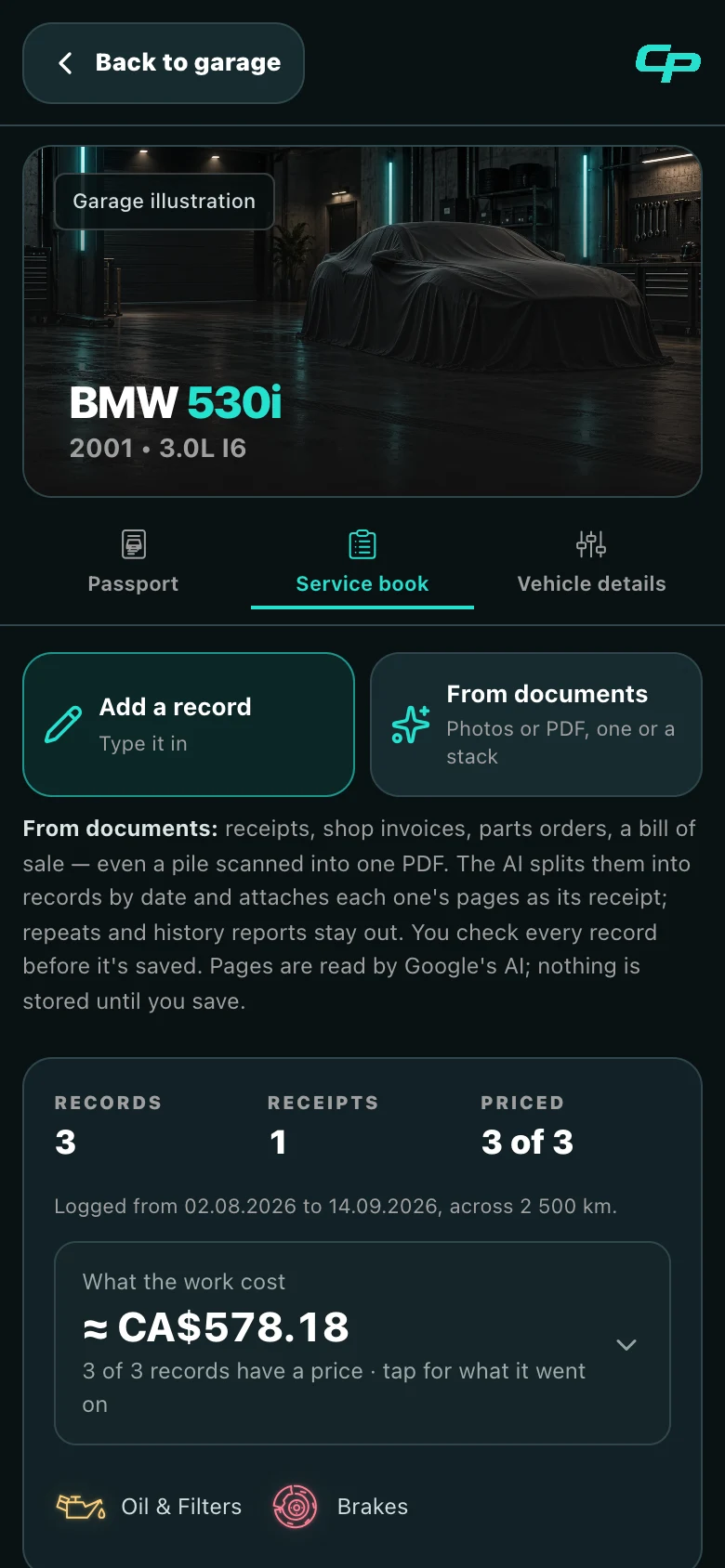
- Open your car in Car Passport and go to Service book.
- Tap From documents and pick the PDF or the photos.
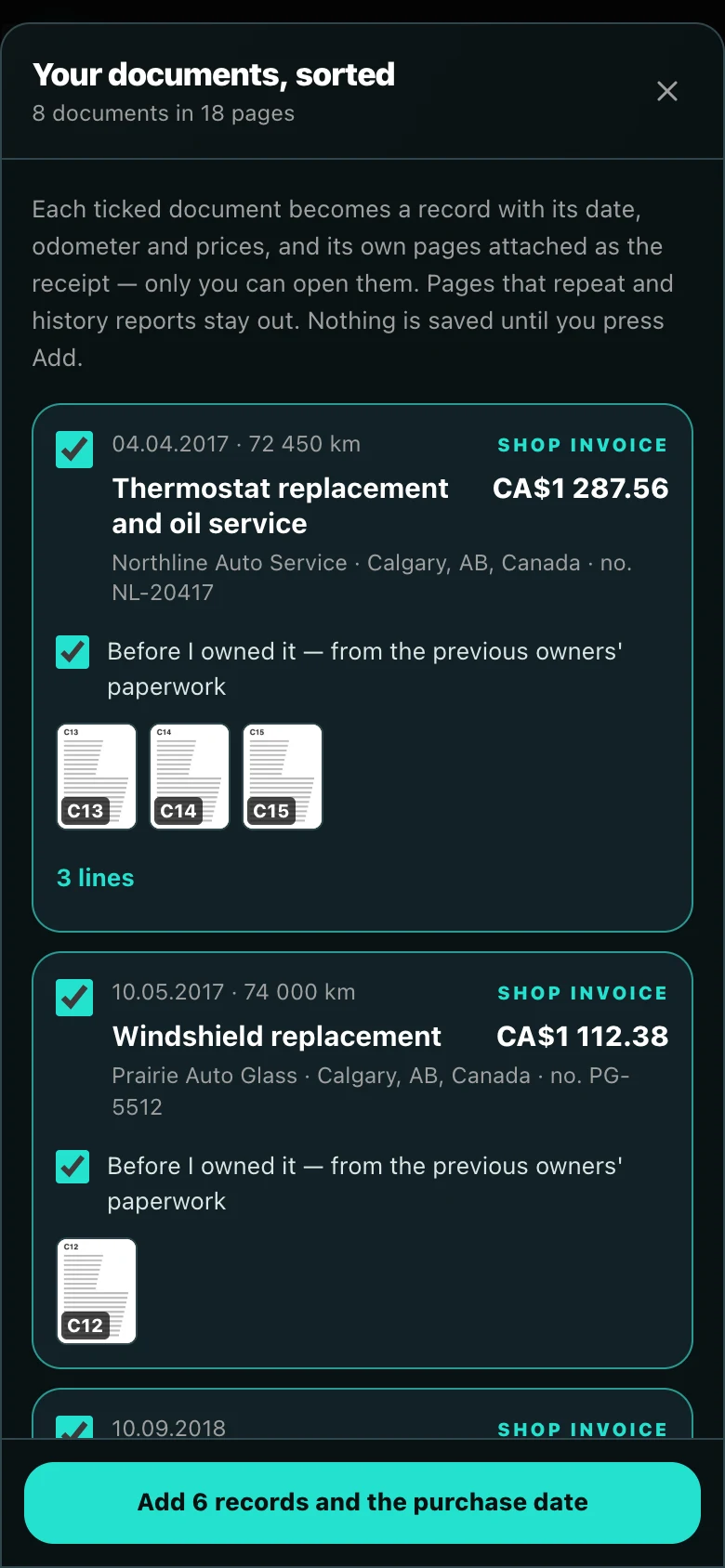
- Wait about a minute while the pages are split into separate documents and sorted by date.
- Check each one — the date, the odometer, the work and what it cost — and tick what to add.
What happens to each kind of paper
- Invoices and receipts become records with their parts, labour and prices, and keep their own pages as the receipt. Only you can open the originals; you can put a blurred copy on the passport.
- The previous owners’ invoices are marked “From an earlier owner’s paperwork” on the passport, so the history is complete and says whose it was.
- A bill of sale gives the date you bought the car and the odometer then. The price and the names on it are not read into the app.
- History reports such as CARFAX are left out: their terms do not allow republishing a report or data taken from it (CARFAX Canada). A buyer can order their own.
No papers? Ask for copies
- Shops keep your invoices. Businesses in Canada generally have to keep their records and supporting documents for six years from the end of the tax year they relate to (Canada Revenue Agency), so a shop that worked on the car usually still has them. Call or email and ask for copies of the invoices — the repair orders — under your VIN.
- A dealer can often print the history under your VIN. Ask the service desk for the repair orders on file. Some can also see work done at other dealers of the brand; coverage varies.
- Don’t know where it was serviced? A history report lists where — use it as a map of whom to ask. The invoices you get back are your own papers, with more detail than a report line: the parts, the work and what it cost.
- In the app, Service book → Ask for copies writes the message for you, with the car and its VIN.
Show it to a buyer
Turn on the public link and put it in your ad. A buyer sees the dated history and what the work cost, without an account.
Sources
- Apple Support — How to scan documents on your iPhone or iPad
- Google Drive Help — Scan documents with Google Drive (Android)
- CARFAX Canada — Conditions of Use, sections 5 (licence) and 6 (restrictions)
- Canada Revenue Agency — Where to keep your records, for how long and how to request permission to destroy them early
This is general information, not legal, customs or financial advice. Rules and fees change — confirm with the sources above or the agency involved before you act.